Best shared to-do list apps for couples in 2026
The best shared to-do list app depends on the job. For couples where one person carries the remembering at home: Carry. For work and personal projects: Todoist or TickTick. For a free list across iPhone and Android: Microsoft To Do or Google Keep. For two iPhones: Apple Reminders. For a family calendar: Cozi.
Best for couples: Carry — because it shows who is carrying the remembering, not just who finished the task, and one plan covers the household.
Last updated: November 20, 2026
A shared to-do list for a couple is a different job from a personal productivity app. Below are ten apps people actually use for it, what each is best for, and how each one prices. For head-to-heads, see Carry vs Todoist, Carry vs Apple Reminders and Carry vs Any.do.
Who it's for
Households (usually couples) where one person remembers what needs doing. Up to six people, and it works solo until others join.
Couples and households who want one shared list for home work, not another personal productivity silo.
Who it isn't for
Work project management or solo GTD / Todoist-style projects.
Work project management or solo GTD.
Price and limits
- Free: 10 open items, 5 shopping items, 2 household members, 5 voice captures
- Carry Plus: $5.99/month, $29.99/year, or $149.99 once for Lifetime
- 7-day free trial on monthly and annual, no payment upfront
- One purchase covers the household, Lifetime included. People who join never pay and never see a paywall
What to look for in a shared to-do list for couples
A shared feed you both actually open
A list that lives on one person's phone is still a personal list. Look for a home feed both of you can open, add to, and see in real time — without asking what's outstanding.
Shopping and events in the same place
Home work is not only tasks. Groceries and household events belong next to the to-dos, so nobody has to remember which app holds which list.
The remembering is visible
The useful part is seeing what has been sitting, not just what got ticked. Aging items, an activity log, or a Mental Load Score make the invisible work visible.
Voice capture when you notice it
If adding something means stopping to type, it stays in someone's head. Voice capture files a task, a shopping item or an event the moment you notice it.
One household subscription
The person who joins shouldn't pay separately.
What it looks like
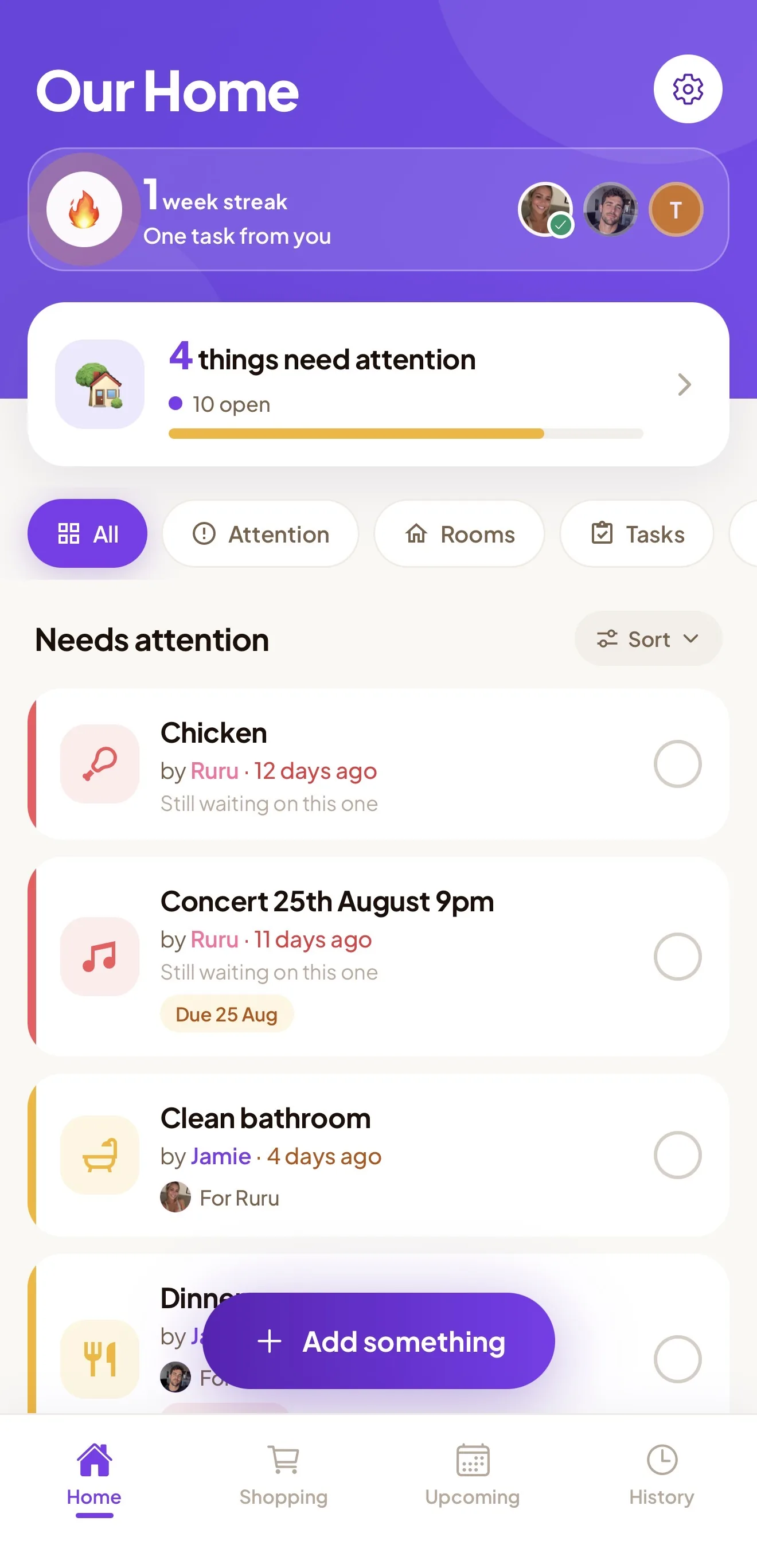
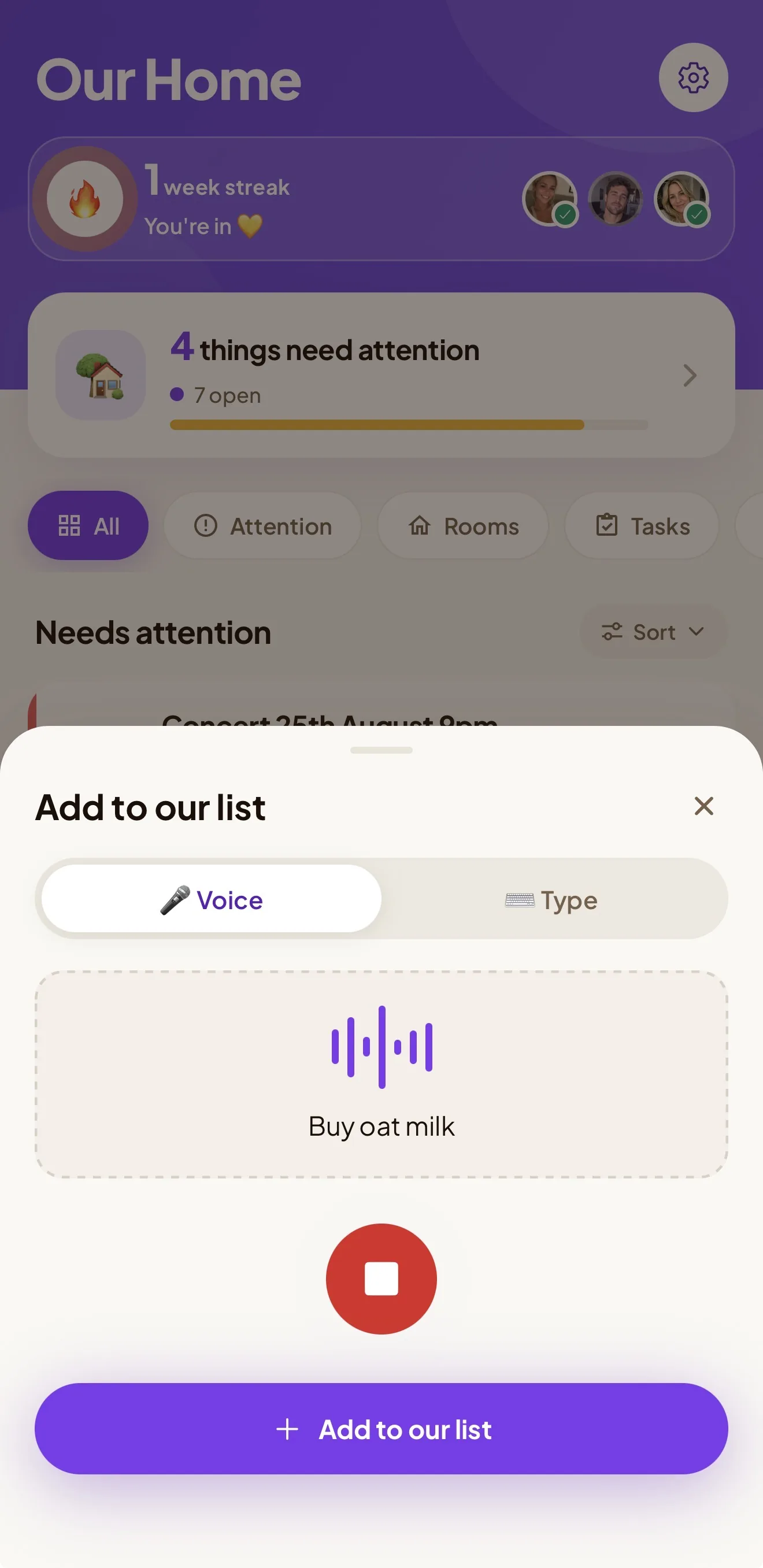
Best shared to-do list apps for couples in 2026, compared
Best for couples: Carry — because it shows who is carrying the remembering, not just who finished the task, and one plan covers the household.
Carry is our app, so weigh our pick accordingly. Every other app here is a real product with real users, described from its own listing, and each one is the better choice for someone.
| App | Best for | Pricing |
|---|---|---|
| Carry | Couples where one person carries the remembering at home | Free tier; Carry Plus from $5.99/month. One plan covers the whole household. |
| Todoist | Work and personal projects you also share | Free plan; paid Pro plan |
| Microsoft To Do | A free shared list on any device | Free (needs a Microsoft account) |
| Apple Reminders | Couples who both use Apple devices and want free | Free (built into iPhone, iPad and Mac) |
| Google Keep | Quick shared checklists between Android and iPhone | Free |
| TickTick | A full personal planner that can also share lists | Free plan; paid Premium |
| Any.do | Personal productivity with shared lists | Free plan; paid Premium |
| Cozi | A free family calendar with lists attached | Free with ads; paid Cozi Gold |
| Cupla | Couples who mainly need their calendars in one place | Check current pricing |
| Honeydo Tasks | A simple two-person task swap | Free with ads; Honeydo+ upgrade covers both partners |
1. Carry
Best for: Couples where one person carries the remembering at home
A shared household app for couples and families: tasks, shopping and events in one feed, synced in real time for up to six people. Items visibly age so nothing silently dies, voice capture files what you notice, and a Mental Load Score shows who is holding the remembering.
Pricing: Free tier; Carry Plus from $5.99/month. One plan covers the whole household.
Pick Carry if the problem is that one of you holds the whole household in your head. See shared to-do list for couples.
2. Todoist
Best for: Work and personal projects you also share
A cross-platform task manager (iPhone, Android, Mac, Windows and the web) with projects, labels, filters and natural-language due dates. You can share a project and assign its tasks to the people in it.
Pricing: Free plan; paid Pro plan
Pick Todoist if one app has to hold work and home, and you like projects and filters. See Carry vs Todoist.
3. Microsoft To Do
Best for: A free shared list on any device
Microsoft’s free to-do app on iPhone, Android, Windows, Mac and the web. Lists can be shared with anyone who has a Microsoft account, and tasks in a shared list can be assigned to a member.
Pricing: Free (needs a Microsoft account)
Pick Microsoft To Do if you want a free, no-frills shared list that works across every device you own.
4. Apple Reminders
Best for: Couples who both use Apple devices and want free
Built into iPhone, iPad and Mac. Shared lists sync through iCloud, reminders can be assigned to people on the list, and grocery lists sort items into sections automatically.
Pricing: Free (built into iPhone, iPad and Mac)
Pick Apple Reminders if a basic shared checklist is enough. See Carry vs Apple Reminders and how to share a Reminders list.
5. Google Keep
Best for: Quick shared checklists between Android and iPhone
Google’s notes app on Android, iPhone and the web. Any note or checklist can be shared with collaborators, and edits sync live. It is a notes app rather than a task manager.
Pricing: Free
Pick Google Keep for a lightweight shared shopping, packing or errands list.
6. TickTick
Best for: A full personal planner that can also share lists
A cross-platform to-do app (iPhone, Android, Mac, Windows and the web) with shared lists, task assignment, a calendar view, a habit tracker and a focus timer.
Pricing: Free plan; paid Premium
Pick TickTick if you want lists, calendar and habits in one app, and sharing is a side feature.
7. Any.do
Best for: Personal productivity with shared lists
A to-do list, calendar and daily planner on iPhone, Android, Mac, Windows and the web, with shared lists and grocery lists.
Pricing: Free plan; paid Premium
Pick Any.do if you want a personal planner with sharing, rather than a household feed. See Carry vs Any.do.
8. Cozi
Best for: A free family calendar with lists attached
A family organizer on iPhone, Android and the web: a shared colour-coded calendar plus shopping lists, to-do lists and a meal planner.
Pricing: Free with ads; paid Cozi Gold
Pick Cozi if the family calendar is the centre of the household. See Carry vs Cozi and how to switch from Cozi.
9. Cupla
Best for: Couples who mainly need their calendars in one place
A couples app that merges both partners’ Apple, Google and Outlook calendars into one view, with shared to-dos and lists alongside.
Pricing: Check current pricing
Pick Cupla if scheduling around each other is the main problem, more than the household task list.
10. Honeydo Tasks
Best for: A simple two-person task swap
A couples-only to-do app for iPhone, iPad and Mac. Partners hand tasks to each other with due dates, reminders and recurring schedules.
Pricing: Free with ads; Honeydo+ upgrade covers both partners
Pick Honeydo if you want a dedicated two-person task list and nothing more.
Get it out of one person’s head.
Free to download, up to six people. Not sure where your household stands? Start with the Mental Load Score.
Common questions
What is the best shared to-do list app for couples?
It depends on the job. For a shared home where one person carries the remembering, Carry: one feed for tasks, shopping and events, aging items, and one household subscription. For work and personal projects, Todoist or TickTick. For a free list on any device, Microsoft To Do or Google Keep. For two iPhones, Apple Reminders. For a family calendar, Cozi. See shared to-do list for couples.
Is Carry free?
Carry is free to download. The free tier covers 10 open items, 5 shopping items, 2 household members and 5 voice captures. Carry Plus is $5.99/month, $29.99/year, or $149.99 once for Lifetime, and monthly and annual start with a 7-day free trial with no payment upfront. Every plan, Lifetime included, covers the whole household.
Does my partner need to pay?
In Carry, no — one person subscribes and up to six people get full access; joiners never pay. For other apps, check their current pricing.
Is Carry better than Todoist for a shared home?
For a shared home, groceries and who is carrying the remembering, yes. For work or solo GTD, Todoist is the better tool. Read Carry vs Todoist.
What is the best free shared to-do list app for couples?
Microsoft To Do and Google Keep are free and work on both iPhone and Android. Apple Reminders is free if you both use Apple devices. Cozi is free with ads. Carry's free tier covers 10 open items, 5 shopping items, 2 household members and 5 voice captures.
More guides
- All guides
- Shared to-do list app for couples
- Carry vs Todoist
- Carry vs Any.do
- Carry vs Apple Reminders
- Shared grocery list app
- Mental load app
- Carry vs Notion
- Household task app
- Chore app for couples
- Carry vs Cozi
- Chore app for roommates
- Fair Play cards app
- Carry vs Sweepy
- Best chore apps for couples
- Best shared grocery list apps
- Best family organizer apps
- Cozi alternatives