How to switch from Cozi: move your lists, keep your calendar
How to switch from Cozi: export a Cozi shopping list by print or email, copy what you still use, and move from Cozi to another app for tasks and groceries while your calendar stays put.
How to switch from Cozi: print or email the lists you still use, copy the live items into a shared list in Carry, and keep Apple Calendar or Google Calendar for appointments. To export a Cozi shopping list, Cozi's FAQ points you to my.cozi.com (print) or the mobile apps (email or text) — there is no full one-click export, so you move from Cozi to another app one list at a time. Run both for a week, then cancel Cozi Gold if you pay for it.
If you're still deciding, see Carry vs Cozi and Cozi alternatives. The steps below are for households that have already chosen to move.
What comes with you
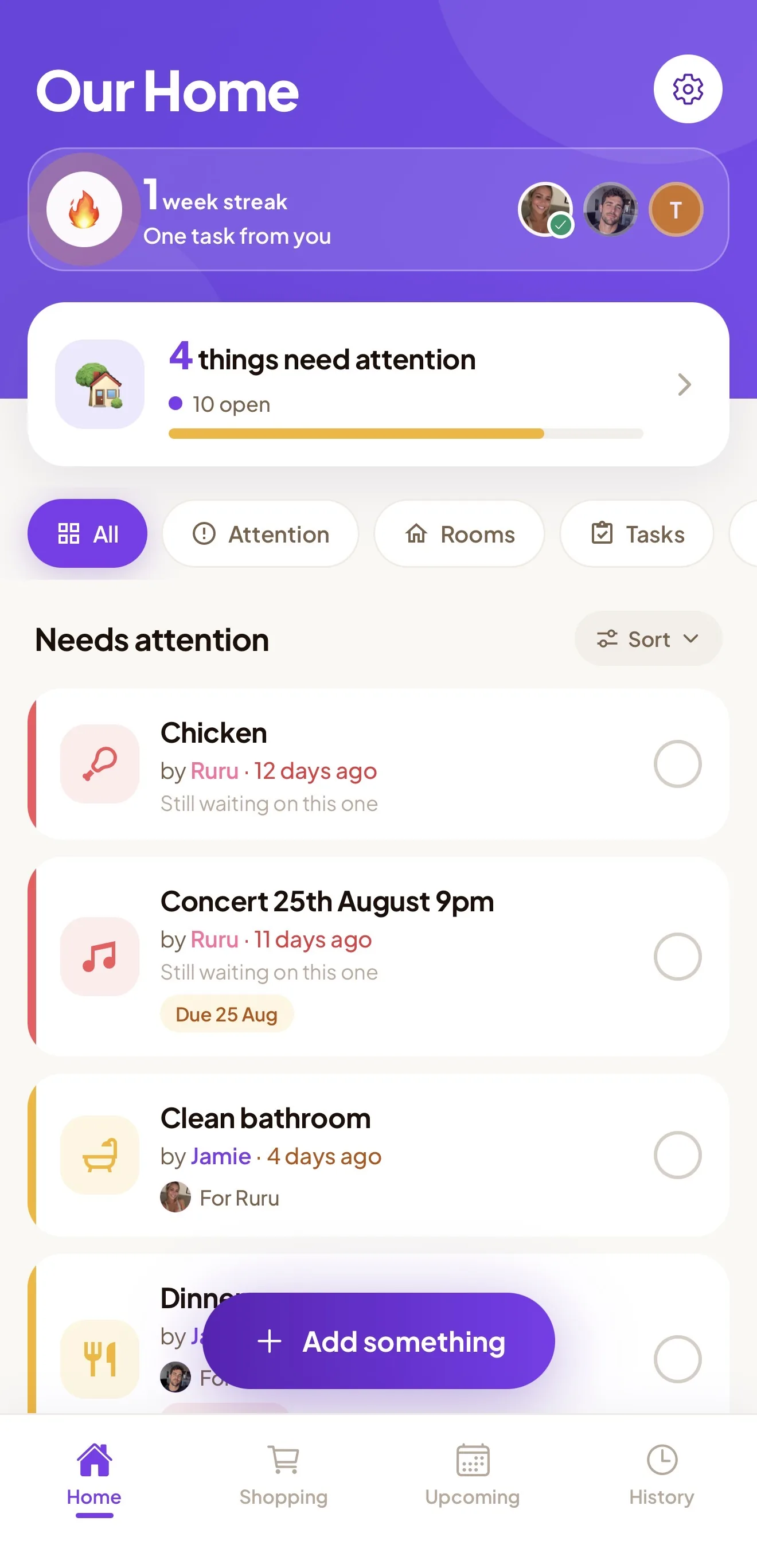
Cozi is where a lot of families keep a calendar, shopping lists, to-dos, chores, recipes, and meal plans. Carry is a shared list: tasks, groceries, and events, for up to six people.
Bring this month's shopping lists, repeating chores (bins, laundry, the weekly shop), and open to-dos that still have a person. Leave anything untouched for months. Leave recipes and meal plans in Cozi. Appointments stay in a calendar app, which is step 4. A new list gets ignored if it opens full of old items.
Step 1: Get your lists out of Cozi
Cozi's FAQ does not describe a full one-click export. What it does describe gets this week out, one list at a time:
- Calendar. Sign in on a computer at my.cozi.com, open Calendar, and click the print icon in the top right. You can print a month on one sheet, or a week as a vertical list.
- Shopping lists. Print them from the same website. From the Cozi mobile apps, send a list by email or text.
Do that for each shopping list you still care about. For to-dos and chores, the FAQ does not describe a print or email path, so copy the live items by hand.
Do this before you cancel or delete anything. Cozi's FAQ says that once an account is deleted, everyone's data on it is permanently erased and cannot be recovered.
Step 2: Decide what is worth bringing
Sit with the printout or the email. Three piles:
- This week. Groceries for the next shop, and tasks with a real date. These go in first, so the move doesn't skip a Tuesday.
- Repeats. Chores that happen whether anyone feels like it. These become recurring tasks, with one of you named on each.
- Stale. The spice from two years ago, the half-done holiday list, "look into new bins." Leave them. You can add a real one later.
If you can't agree an item still matters, leave it. Write what you keep the way you'd say it out loud ("oat milk").
Step 3: Rebuild it in Carry
In Carry:
- Download Carry and tap Get Started. Add your name and email. It works with one person until the other joins.
- Add this week's groceries on the Shopping tab. Items group themselves by aisle — Dairy, Produce, Bakery, Household, and the rest — so the shop follows the store. More on that on the shared grocery list page. Staples you buy every time can be recurring: they show a loop and come back after you tick them off.
- Add the open tasks, and set the repeating chores as recurring tasks, with one of you named on each ("bins, Sunday").
- Invite your partner or the rest of the household. One of you taps the profile/settings icon, chooses Invite Partner, and sends the 6-character code. The other opens Carry, taps Join a Household, and enters it. Up to six people share the same feed.
One Carry Plus plan covers the whole household. The people who join do not pay. Plus is $5.99 a month or $29.99 a year, with a 7-day free trial and no payment taken upfront, or $149.99 once for Lifetime, which has no trial. Prices are on the pricing page.
The free tier covers 10 open items, 5 shopping items, and 2 people. A real grocery list, or a household bigger than two, needs Plus. Start the trial when you copy the actual list. Cancel in App Store settings before day 7 if you want to pay nothing.
Step 4: Keep appointments in a calendar app
Carry does not sync with Apple Calendar or Google Calendar. If Cozi is open every morning for soccer, the dentist, and the school early finish, those appointments stay in a calendar app. Use Carry for tasks and groceries.
Print the next few weeks from my.cozi.com and check they already exist in Apple Calendar or Google Calendar. Add any that live only in Cozi. Carry can hold household events in its own feed. Keep the calendar app as the place you both check for where you need to be.
Step 5: Run both for a week, then cancel
Leave Cozi installed for seven days. New groceries and tasks go in Carry. Open Cozi once or twice to catch anything you forgot to copy. Confirm the calendar app has the appointments you printed.
If you both opened Carry without texting "did you see the list?", the move has stuck. If you pay for Cozi Gold, cancel after that week, once the lists are copied. Cozi's FAQ says a subscription bought through Apple is canceled through Apple, one bought through Google Play is canceled there, and one bought on the website from my.cozi.com while you're signed in.
FAQ
How do I export a Cozi shopping list?
Print it from my.cozi.com, or send it by email or text from the Cozi apps. That's what the FAQ describes. There is no full one-click export of the account, so you do one list at a time and copy the items you still need.
How do we move from Cozi to another app and keep the calendar?
Leave appointments in Apple Calendar or Google Calendar. Carry does not sync with either. Use the calendar app for where you need to be, and Carry for tasks and groceries.
Do both of us have to pay?
One Carry Plus subscription covers the household, up to six people. Monthly ($5.99) and annual ($29.99) include a 7-day free trial, with no payment taken upfront. Lifetime is $149.99 once and has no trial.
Download Carry on the App Store — free to download, with a 7-day free trial on Plus. Copy this week's list, send the invite, and leave the stale items on the printout.