How to switch from AnyList: move the live list, leave the recipes
How to switch from AnyList: print or send a copy of the lists you still use, move the live groceries into Carry, and leave recipes and meal plans in AnyList.
How to switch from AnyList: print each list you still shop from, or send yourself a copy, then type the live groceries and repeating household items into a shared list in Carry. To export an AnyList list, open it, tap the Actions (•••) button, choose Share, Email & Print, then Print List or Send a Copy — the path AnyList's help describes — and move from AnyList to another app one list at a time. Leave recipes and meal plans in AnyList, and if you rely on a calendar, keep Apple Calendar or Google Calendar, because Carry does not sync with either. Run both apps for a week, then cancel AnyList Complete if you pay for it and it renews.
Still choosing? See best shared grocery list apps and the shared grocery list app. The steps below are for households that have already decided. Leaving a family calendar? The sibling guide is how to switch from Cozi.
What to bring, and what to leave
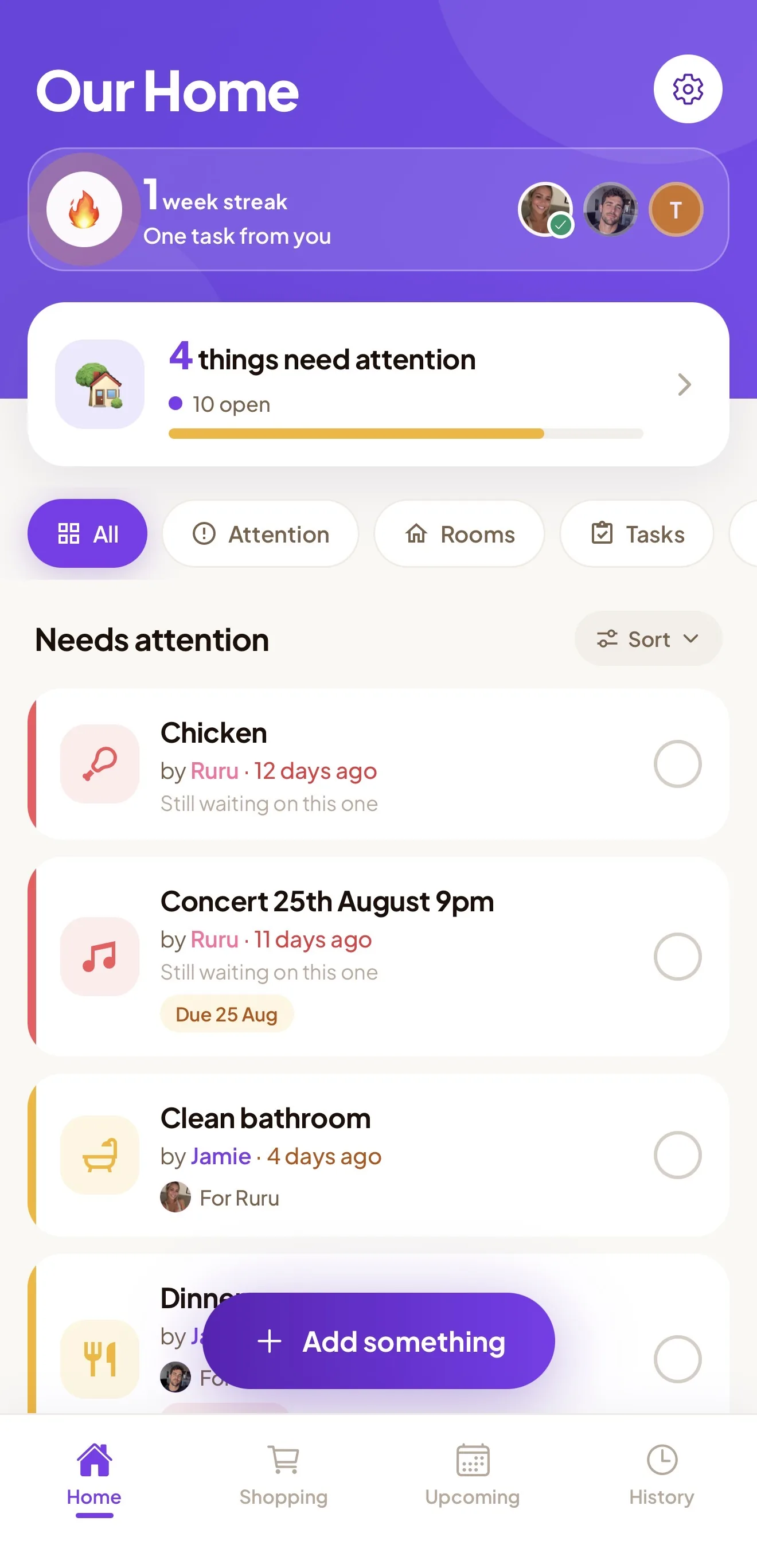
AnyList is where a lot of households keep shopping lists, a recipe box, and a meal plan. Carry is a shared list for tasks, groceries, and events, for up to six people. An AnyList alternative for couples is that shared list. The cookbook stays put.
Bring this week's grocery list, and the items that come back on their own: bins, laundry, the weekly shop. Leave anything untouched for months.
Leave recipes and meal plans in AnyList. AnyList's cancel article says lists, recipes, and meal plans stay intact and accessible when you cancel AnyList Complete, including ones made with premium features.
Carry does not sync with Apple Calendar or Google Calendar. If the household is calendar-heavy (school pickup, the dentist, the late meeting), keep that calendar app. Carry can hold household events on the shared list.
Get the lists out of AnyList
Do this before you cancel anything. Copy items by hand, or print the list, or send a copy from the app, one list at a time.
For each list you still use:
- Print it. Open the list, tap the Actions (•••) button in the upper right, and choose Share, Email & Print. On the sharing screen, select Print List. That is How do I print a list?
- Or send a copy. From that same screen, select Send a Copy, then choose the app you use to email or text it. That is How do I send a list as an email or text message? Getting started says you can send a list as an email or text, or print it if you shop from paper.
Skip lists nobody has opened in months.
Share List, on that same screen, keeps the list inside AnyList. You enter an email, and once the list is shared, changes show up for everyone on it (how sharing works). That is not the copy you take with you.
Rebuild the live list in Carry
Sit with the printout or the message. Three piles:
- This week. Groceries for the next shop, and tasks with a real date. These go in first, so Tuesday still happens.
- Repeats. Chores that happen on a rhythm. These become recurring tasks, with one of you named on each ("bins, Sunday").
- Stale. The spice from two years ago, "look into new bins." Leave them.
Write what you keep the way you would say it out loud ("oat milk"). If you cannot agree an item still matters, leave it.
In Carry:
- Download Carry and tap Get Started. Add your name and email. It works with one person until the other joins.
- Add this week's groceries on the Shopping tab, and add the open tasks. Set the repeating chores as recurring tasks, with one of you named on each. Tasks, groceries, and events share one list. See the shared grocery list, shared shopping list habits for couples, and the shared to-do list for couples.
Plus is $5.99 a month or $29.99 a year, with a 7-day free trial on monthly and on annual, or $149.99 once for Lifetime, which has no trial. Prices are on the pricing page. Start the trial when you copy the real list. Cancel in App Store subscription settings before day 7 if you want to pay nothing.
Invite your partner or the household
A list only one of you opens is the old arrangement with a new icon. Invite your partner first, then anyone else who actually shops or does the chores. Up to six people share one household.
One of you taps the profile/settings icon, chooses Invite Partner, and sends the 6-character code. The other opens Carry, taps Join a Household, and enters it. Same steps as on the support page.
Run both for a week
Leave AnyList installed for seven days. New groceries and new tasks go in Carry. Open AnyList once or twice for anything you forgot to copy. If a meal plan still says what is for dinner, leave it there and add only the ingredients you still need to buy.
The week has worked when you both open Carry without texting "did you see the list?". If only one of you opened it, fix the invite before you cancel anything.
Cancel AnyList Complete if you pay for it
Skip this if AnyList is free for you. Cancel only after the lists you care about are copied.
How do I cancel my AnyList Complete subscription? says your data is safe when you cancel. Lists, recipes, and meal plans remain intact and accessible, even if they were created with premium features.
Where you cancel depends on where you bought it:
- On the AnyList website. A subscription bought at anylist.com renews on its own. Cancel from the Account Info page on anylist.com during the term. You keep premium features until that term ends, then the account returns to the free plan and the data stays.
- Through the iOS App Store. AnyList's help says that subscription does not automatically renew. You are not charged again unless you renew, and AnyList emails you when it is close to expiring.
- Bought it another way. Use the matching section of that help article, after the copy is done.
FAQ
How do I export an AnyList list?
Print it, or send yourself a copy: Actions (•••), then Share, Email & Print, then Print List or Send a Copy (print, send). Type the live items into Carry.
Do recipes and meal plans have to move?
Leave them. AnyList's help says they remain when you cancel AnyList Complete.
What if our household runs on a calendar?
Keep Apple Calendar or Google Calendar. Carry does not sync with either. Leaving a family calendar app is covered in how to switch from Cozi.
How many of us can share it, and what does it cost?
Up to six people. Plus is $5.99 a month or $29.99 a year, with a 7-day free trial on monthly and annual. Lifetime is $149.99 once and has no trial. See pricing.
Download Carry on the App Store — free to download, with a 7-day free trial on Plus. Copy this week's list, send the invite, and leave the recipes where they are.